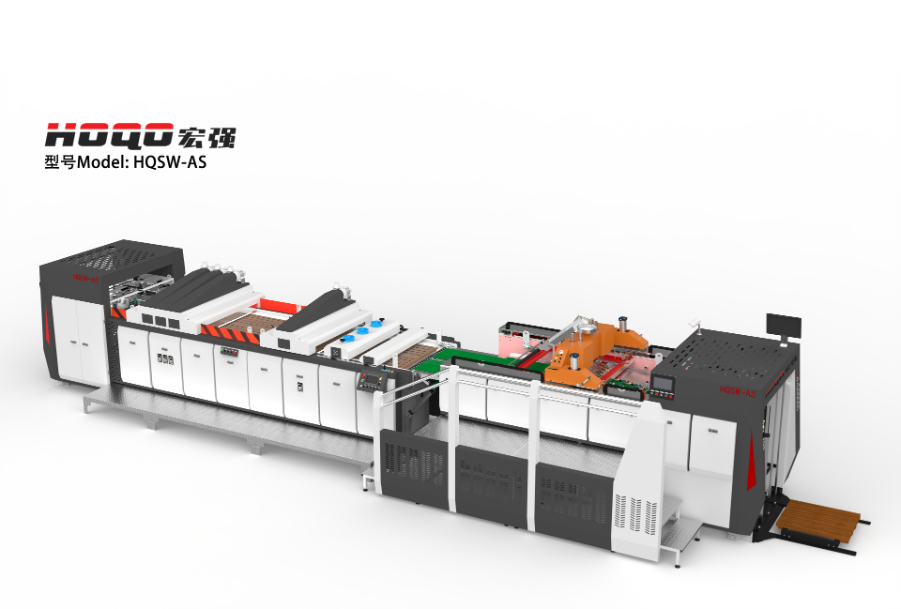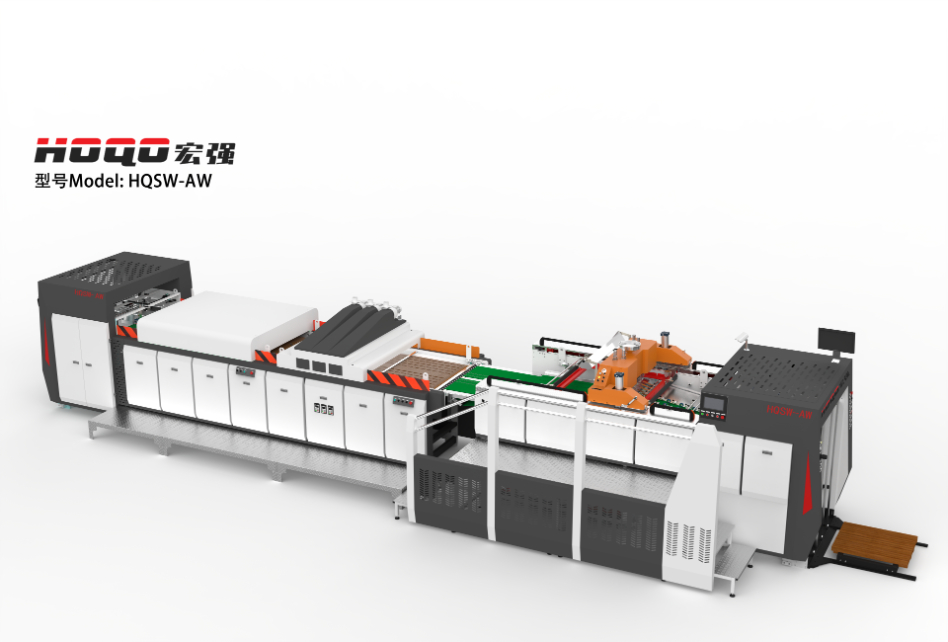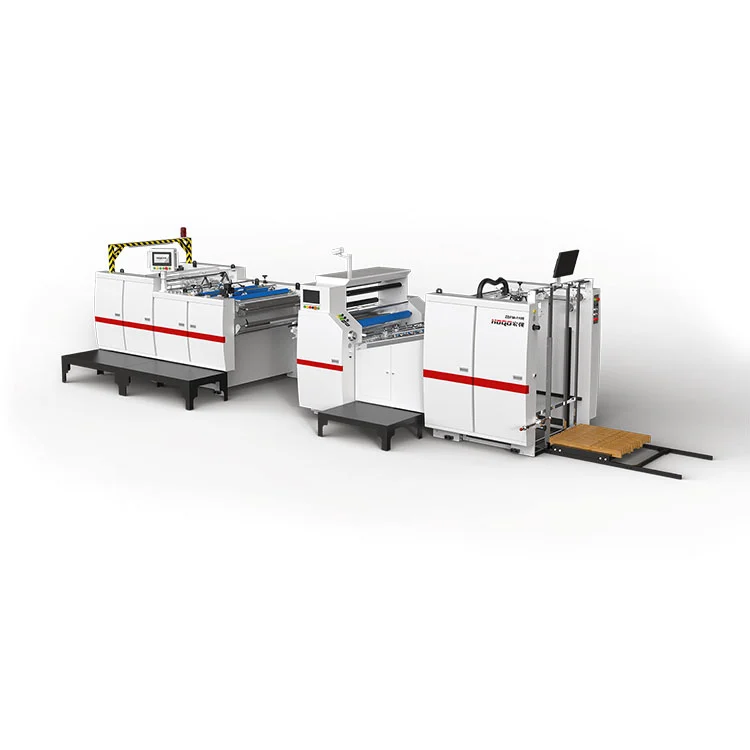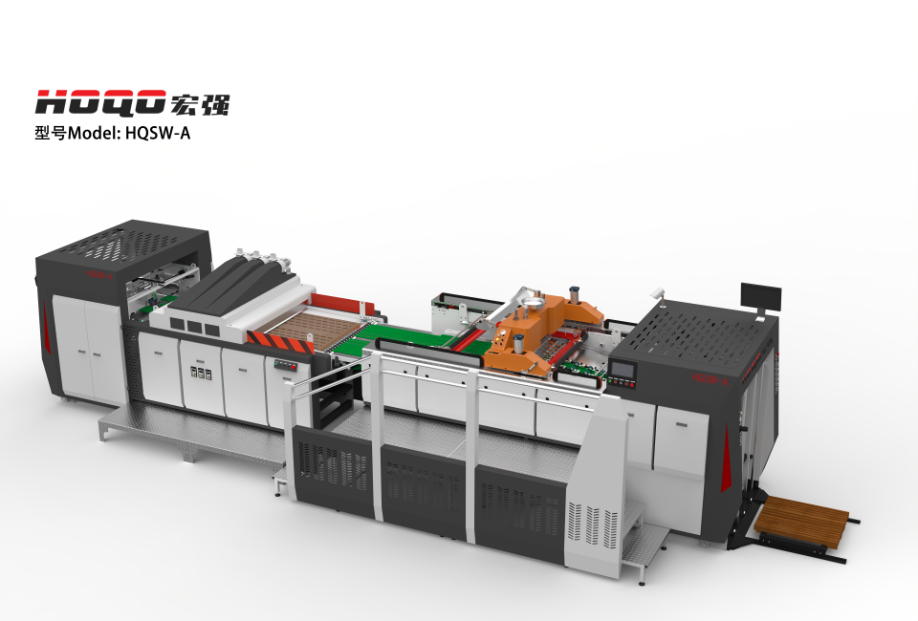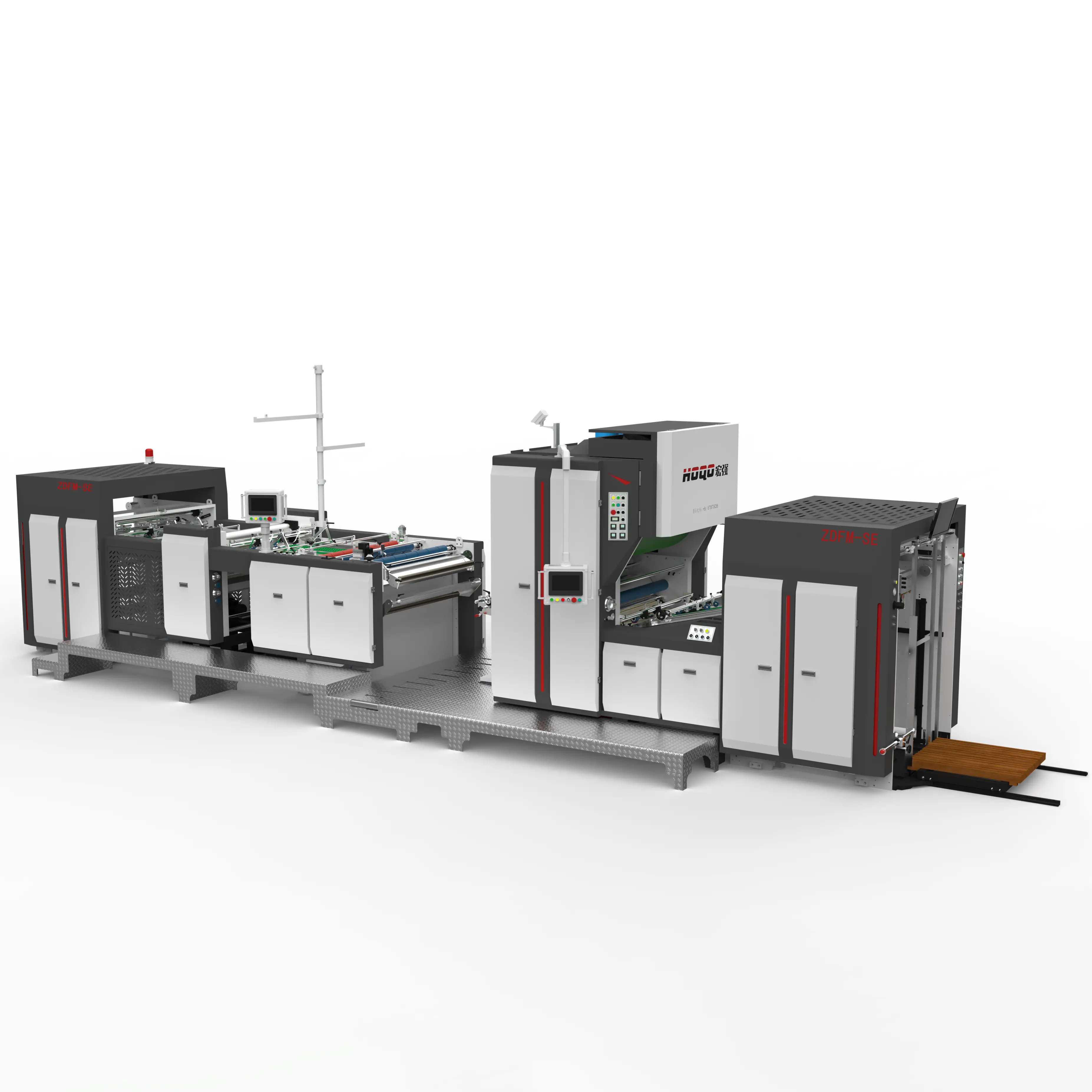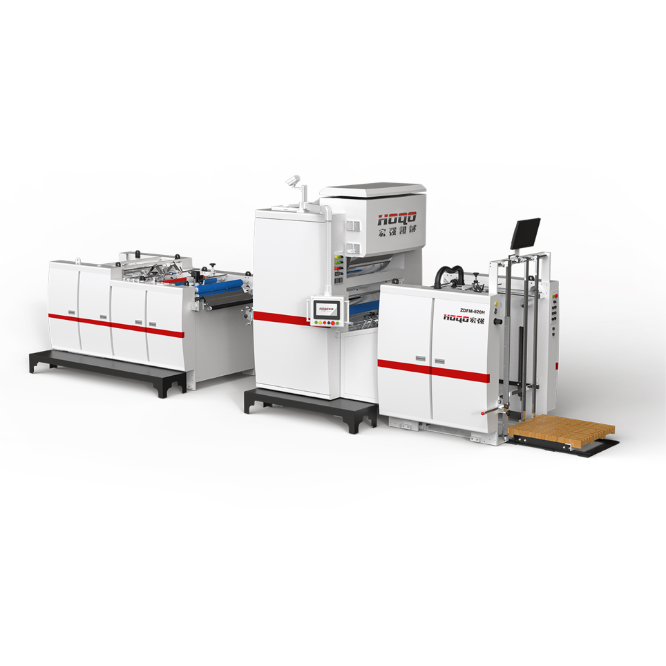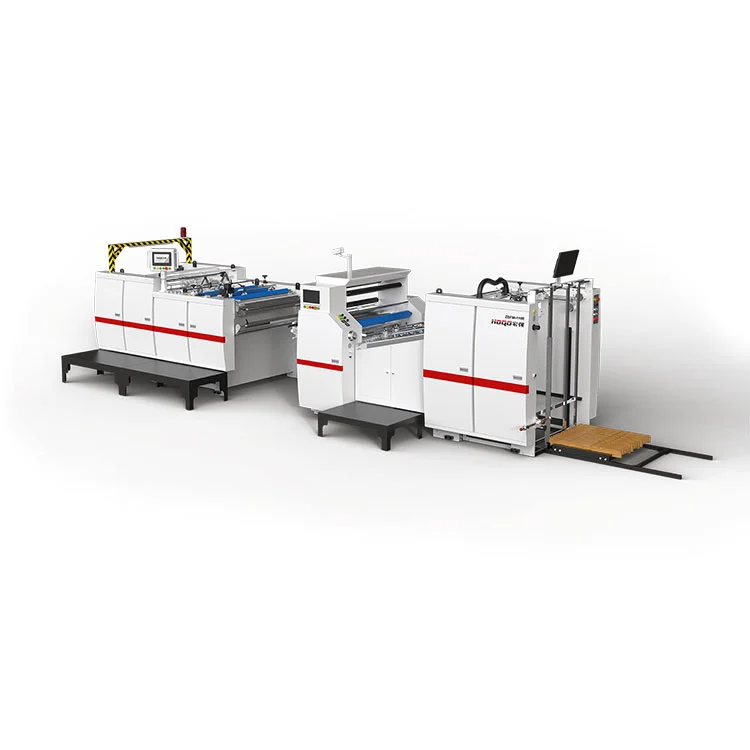
Modern print finishing combines material handling, thermal management, mechanical adjustment, and process monitoring. Intelligent lamination technology brings these functions into a more coordinated workflow through programmable logic controllers, servo-driven mechanisms, adjustable process settings, and automated tension management. Understanding how these systems work helps printing and packaging manufacturers assess equipment suitability, identify quality risks, and plan production workflows around paper grades, film types, product dimensions, and finishing requirements.
This guide outlines the key elements that influence lamination outcomes when using intelligent laminating machines. It covers their operating principles, core control technologies, considerations for material compatibility, common quality issues, and practical factors to keep in mind when selecting equipment.
1. What Is Intelligent Lamination?
Lamination is a finishing process that bonds a thin film to a substrate, commonly paper or printed board. The film can provide a selected surface appearance and help protect printed graphics from routine handling, abrasion, moisture exposure, or other environmental influences, depending on the film and application.
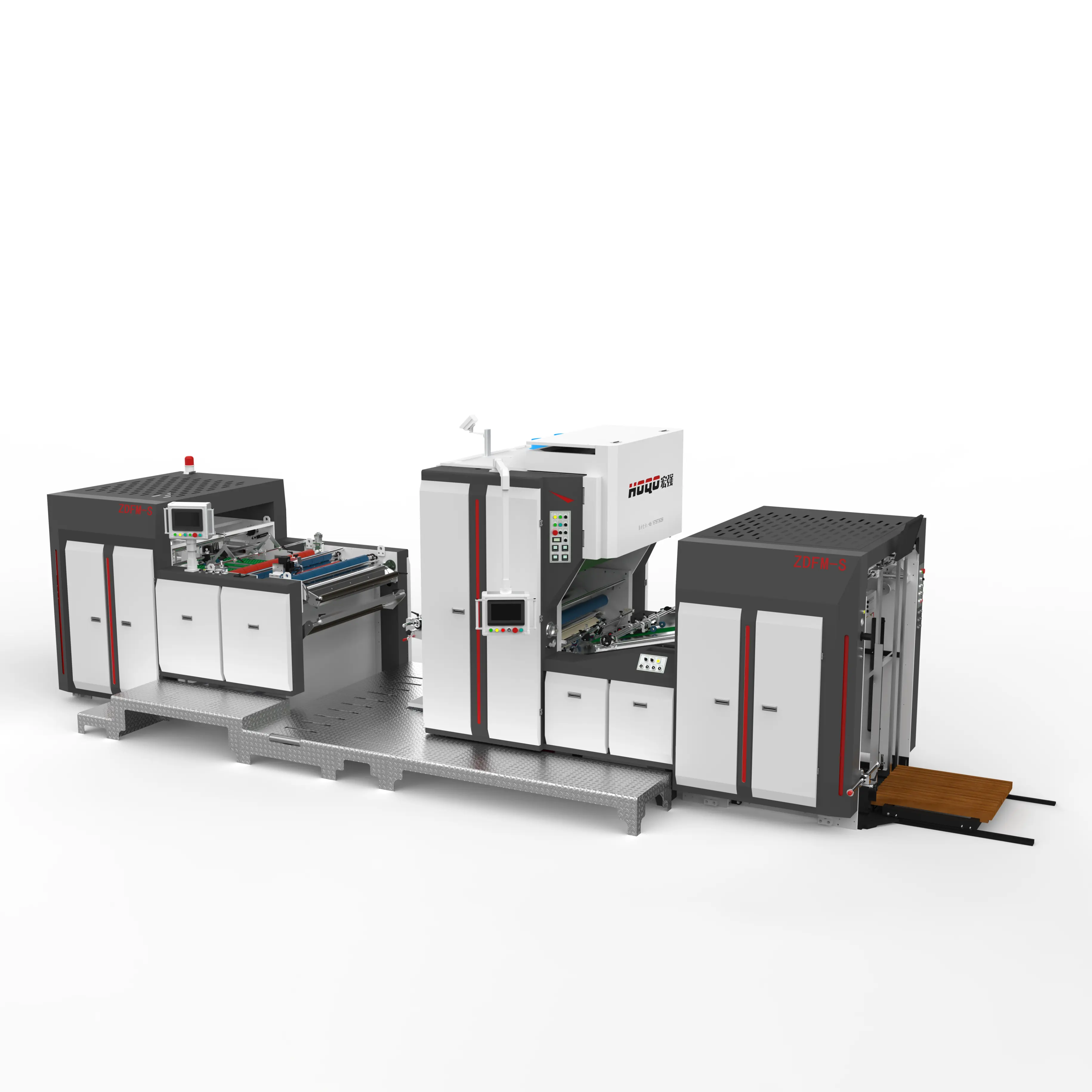
An Intelligent Laminating Machine integrates programmable controls and automated mechanical functions to coordinate important production settings. Rather than relying entirely on manual adjustments, operators can use defined parameters and controlled movements to establish repeatable operating conditions for different jobs.
The term does not describe one universal machine configuration. Equipment can differ in its feeding method, heating system, film handling arrangement, cutting mechanism, servo configuration, and level of automation. The appropriate design depends on the substrate, film, product format, production sequence, and required finish.
Programmable Settings
Operators can configure suitable process parameters and retrieve stored job settings when the control system supports recipe management.
Coordinated Motion
Servo-driven mechanisms can coordinate positioning and movement to support accurate size changes and repeatable mechanical adjustments.
Process Stability
Controlled heating, pressure, and film tension help establish more consistent conditions across the working width and production run.
Job Flexibility
Configurable settings and automated adjustments can simplify production involving multiple formats, provided the equipment supports the required range.
Why does this matter in print finishing?
Printed products often vary in dimensions, substrate thickness, surface properties, and finishing specifications. A process that works for one paper grade may not deliver the same result with a different board or film. Coordinated controls help operators manage these differences systematically rather than depending only on repeated manual trial and adjustment.
Automation does not eliminate the need for process knowledge. Operators still need to verify material compatibility, select suitable settings, inspect finished output, and respond to changing production conditions. Its main value is making adjustments more controlled, repeatable, and easier to document.
2. How Does the Lamination Process Work?
Although machine layouts vary, most thermal film lamination workflows involve preparing the substrate, feeding the film and printed material, applying controlled heat and pressure where required, and managing the finished sheet or web. Each stage can affect the final surface appearance and bond quality.
- Material preparation: Confirm that the substrate is suitable for the selected film and process. Printed sheets should be properly conditioned, sufficiently dry for the intended process, and free from excessive dust or loose powder.
- Feeding and alignment: Guide the substrate and film into the working area. Correct alignment helps prevent uneven coverage, edge misalignment, and avoidable material handling problems.
- Temperature and pressure control: For thermal lamination, establish suitable heating and roller pressure conditions for the film, adhesive system, substrate, and operating speed.
- Tension management: Maintain controlled film tension throughout the process. Excessive or inconsistent tension can contribute to wrinkles, distortion, or unstable web tracking.
- Bonding and finishing: Bring the materials together under the intended process conditions. Depending on the machine design, downstream functions may include cooling, trimming, cutting, or sheet collection.
- Inspection and adjustment: Inspect the output for bonding defects, bubbles, wrinkles, surface marks, and dimensional consistency. Make controlled corrections when the observed defect can be linked to an adjustable process variable.
Process principle: Lamination quality depends on the interaction of material properties and operating conditions. Increasing temperature or pressure is not always the correct response to a bonding problem; an unsuitable film, contaminated surface, incorrect tension, or poor alignment may require a different correction.
How control settings work together
Temperature affects adhesive activation in thermal systems, while pressure influences contact between the film and substrate. Line speed determines how long materials remain exposed to a particular process zone. Tension affects how the film travels and contacts the substrate. These variables should be considered together because changing one can alter the result of another.
For example, raising line speed may change the effective heating time. A temperature setting that performs adequately at a lower speed may not provide the same bonding conditions at a higher speed. Similarly, a different substrate thickness can change how the material passes through the roller arrangement.
Documenting approved settings for established jobs can help operators repeat successful conditions. However, stored settings should be treated as a starting point rather than a guarantee when film batches, paper properties, ambient conditions, or machine components change.
3. Key Automation Technologies and Their Functions
Automation features are useful when they address specific production requirements. The presence of a programmable controller, servo motor, or sensor alone does not establish the overall performance of a machine. What matters is how these components work together and how effectively they support the actual process.
Programmable logic controller and touch-screen interface
A programmable logic controller (PLC) coordinates control logic, input signals, and machine actions. A touch-screen interface allows operators to access settings, view operating status, and select supported functions. Depending on the system, recipes can store parameters for recurring jobs, reducing the need to enter every setting manually during a changeover.
When evaluating the control interface, consider whether parameters are clearly named, access permissions are available where needed, and alarms provide useful information. A practical interface should help operators identify the relevant setting or condition instead of displaying unexplained fault codes.
Servo-driven positioning and adjustment
Servo systems provide controlled motor movement and positioning. In suitable machine designs, they can automate width adjustments, cutting positions, and other movements associated with product size changes. This is particularly relevant when a production schedule contains many different sheet dimensions or frequent format changes.
Automatic adjustment should be assessed against the actual machine configuration. Ask which axes are servo-controlled, which parts still require manual intervention, what adjustment range is supported, and how the system confirms that the target position has been reached.
Temperature regulation and heating systems
Thermal lamination requires suitable heat transfer and stable operating temperatures. Heating arrangements can differ, including infrared and ceramic-based systems, depending on equipment design. The important questions concern temperature uniformity, warm-up behavior, control response, maintenance access, and compatibility with the selected film.
Temperature readings should be interpreted in the context of actual operating conditions. A displayed setpoint is not necessarily identical to the temperature at every point on a roller or across the substrate. Manufacturers should explain how temperature is measured and controlled.
Automatic tension control and material tracking
Film tension affects web stability, tracking, and contact with the substrate. An automatic tension control system can help maintain more consistent tension as the roll diameter changes or operating conditions vary. Its effectiveness depends on the sensing arrangement, control logic, mechanical design, and material characteristics.
Tracking and alignment mechanisms can further reduce the likelihood of the film drifting away from the intended path. Operators should still verify roll loading, edge alignment, and the condition of guides and rollers before production begins.
Inspection and monitoring functions
Some equipment configurations offer sensors or vision-based inspection features. These may help detect selected defects or monitor particular process conditions. The actual inspection capability depends on the installed system, lighting, camera arrangement, defect definitions, and material appearance.
Before relying on automated inspection, clarify which defects the system can identify, whether it detects defects across the full working width, how false alarms are handled, and whether it can stop or alert the line when an issue is detected. Do not assume that every automated laminator includes AI-based inspection as standard.
| Technology | Main Function | Evaluation Point |
|---|---|---|
| PLC control | Coordinates machine sequences and operating parameters. | Recipe storage, alarm clarity, and control accessibility. |
| Servo adjustment | Controls selected movements and positioning tasks. | Adjustment range, repeatability, and changeover procedure. |
| Temperature control | Regulates heating conditions in thermal processes. | Uniformity, measurement method, and response to speed changes. |
| Tension control | Helps maintain stable film movement and tracking. | Supported film types, roll range, and tension adjustment. |
| Vision or sensor inspection | Monitors defined defects or operating conditions. | Detection scope, reliability, and response to an alarm. |
Feature availability and configuration depend on the specific equipment model. Confirm the actual control functions before making a technical comparison.
4. Materials and Applications in Printing and Packaging
The substrate and film determine many of the conditions required for successful lamination. Compatibility should be assessed before selecting operating parameters because different materials respond differently to heat, pressure, adhesive activation, and mechanical handling.
Paper and printed paperboard
Paper and paperboard are widely used in commercial print finishing, covers, promotional materials, and packaging. Their surface characteristics, thickness, stiffness, ink coverage, and residual printing powder can influence bonding and surface appearance. Heavily printed areas may behave differently from unprinted areas, so trials should reflect the actual artwork and substrate.
OPP and BOPP films
Oriented polypropylene films are used in a range of print-finishing applications. Film selection should consider the intended finish, adhesive system, thickness, handling characteristics, and compatibility with the machine's heating and pressure arrangements. BOPP film should not be treated as interchangeable with every other film simply because the materials may appear similar.
PET, laser, and specialty films
PET and decorative specialty films may require particular attention to cutting behavior, heat sensitivity, surface characteristics, and dimensional stability. Laser or metallic-effect films can introduce additional handling considerations. Specialized cutting or powder-removal options may be relevant for certain applications, but their suitability depends on the film construction and the specific production requirements.
Typical finished products
- Book covers and album covers: Lamination can improve the surface finish and provide a selected tactile or visual effect.
- Printed cartons and folding boxes: Film finishing can support appearance and surface protection, subject to folding, gluing, and packaging requirements.
- Commercial brochures and promotional sheets: Different film finishes can help establish a consistent visual presentation.
- Specialty printed materials: Decorative films and selected finishing configurations may support distinctive surface effects.
Application suitability should be confirmed against downstream operations. A film that performs well on a flat printed sheet may behave differently after creasing, folding, die-cutting, or adhesive application. Packaging applications also need to account for the required surface properties and any relevant end-use requirements.
Material compatibility checklist: Confirm the film type, substrate grade, thickness range, printed surface condition, adhesive system, required finish, downstream converting steps, and intended operating speed. These details provide a more reliable basis for equipment selection than the material name alone.
5. Common Lamination Quality Problems and Practical Solutions
Surface defects can result from multiple interacting factors. A systematic troubleshooting method starts by describing the defect, checking when it appears, reviewing the material and operating conditions, and making one controlled adjustment at a time. This approach makes it easier to distinguish a machine setting issue from a material or preparation problem.
Bubbles and incomplete bonding
Bubbles or local delamination may be associated with inadequate bonding conditions, trapped air, surface contamination, unsuitable film or adhesive combinations, or residual moisture. The first step is to inspect the substrate and film, verify the material specifications, and review temperature, pressure, and speed together.
Do not respond automatically by increasing the temperature. Excessive heat may damage the substrate or film, affect printed colors, or create other defects. Any adjustment should remain within the recommended operating range for the material system.
Wrinkles and film distortion
Wrinkles can occur when tension is uneven, rolls are misaligned, the film tracks poorly, or the material enters the working area inconsistently. Check roll installation, guide positions, roller condition, and the tension setting before changing several parameters at once.
If the problem appears only at higher speeds, investigate whether tension control and material tracking remain stable during acceleration and steady operation. The observed relationship between speed and defect formation can help narrow the possible causes.
Silvering, haze, or uneven surface appearance
Silvering and haze may be associated with microscopic air pockets, surface conditions, adhesive activation, film properties, or the printed substrate. Inspect the defect under consistent lighting and compare affected areas with acceptable output. Check whether the issue follows a particular ink coverage, paper batch, or film roll.
Film misalignment and inaccurate cutting
Misalignment may result from incorrect setup, unstable feeding, mechanical wear, or an inappropriate cutting position. Confirm the target dimensions, reference points, film path, and relevant positioning settings. For automated size changes, verify that the machine has completed the adjustment before starting the production run.
| Observed Defect | Possible Causes | Initial Checks |
|---|---|---|
| Bubbles or weak bonding | Unsuitable process settings, contamination, moisture, or material incompatibility. | Review substrate preparation, film compatibility, temperature, pressure, and speed. |
| Wrinkles | Uneven tension, incorrect alignment, or unstable film tracking. | Inspect roll loading, guides, roller condition, and tension control. |
| Silvering or haze | Air pockets, surface conditions, or insufficiently suitable bonding conditions. | Compare material batches and review the operating window and printed surface. |
| Uneven edges | Incorrect positioning, feed instability, or cutting setup issues. | Check dimensions, guides, positioning parameters, and cutting components. |
| Inconsistent results | Changing materials, drifting process conditions, or inconsistent setup. | Record job parameters, inspect components, and compare results across the run. |
For recurring defects, maintain a record of the job, material batch, machine settings, operating speed, observed defect, and corrective action. This record helps identify patterns and supports more consistent troubleshooting across shifts.
6. How to Evaluate Equipment for Your Production Requirements
Equipment selection should begin with the actual work that the machine must perform. A suitable configuration for high-volume production of one format may not be ideal for a facility handling numerous short runs and specialty films. The most useful comparison considers the full workflow, including preparation, changeovers, finishing, inspection, and maintenance.
Define the production range
Document the minimum and maximum sheet dimensions, substrate thickness, film types, roll specifications, and required finished formats. Identify the products that represent normal work as well as the jobs that create the greatest technical challenge. These details help determine whether the machine's working range and adjustment system are suitable.
Match automation to job frequency
Servo-driven adjustments and stored recipes can be particularly relevant when product dimensions change frequently. For longer production runs with few format changes, other factors such as stable feeding, process consistency, and maintenance access may be equally important. Evaluate the features according to the actual production schedule rather than selecting automation based on feature count alone.
Review the complete process configuration
Ask which functions are standard and which are optional. Heating arrangements, tension control, cutting systems, dust or powder removal, cooling, and inspection features can vary by model. A clear equipment specification should identify the functions included in the proposed configuration and explain any limitations that affect the intended application.
Check operating and maintenance requirements
Understand how operators load film, select settings, change formats, clean rollers, access wear components, and respond to alarms. Also consider the required utilities, installation space, operator training, and availability of maintenance documentation. Equipment that is technically suitable should also fit the working environment and service capabilities of the facility.
Use representative production trials
Where practical, assess the machine using representative substrates, film types, printed artwork, and target formats. Evaluate the finished result rather than relying only on a rated speed or demonstration using a different material. Check bonding, surface appearance, alignment, dimensional consistency, and performance during format changes.
- Confirm the full range of substrates, films, and product dimensions.
- Identify which movements and adjustments are automated.
- Verify temperature, pressure, tension, and speed control capabilities.
- Review changeover steps and the conditions required to repeat a stored job.
- Clarify optional equipment, inspection functions, and process limitations.
- Evaluate maintenance access, operator training, and technical documentation.
- Define measurable acceptance criteria for the intended finished products.
When comparing equipment, request specific explanations of how the proposed configuration handles the production requirements. Questions about adjustment range, control methods, supported materials, and inspection procedures are more useful than general descriptions of automation or precision.
7. Operating Practices That Support Consistent Results
Automated functions can improve repeatability, but they work best within a disciplined production process. Clear setup procedures, suitable material preparation, routine inspection, and documented maintenance help keep equipment operating within its intended conditions.
Before production
- Verify the material specification and confirm that the selected film is compatible with the substrate.
- Check film roll installation, web path, guide positions, and the condition of relevant rollers.
- Load the appropriate job parameters and confirm dimensions and operating settings.
- Allow heating systems to reach the required operating condition where applicable.
- Run initial material through the process and inspect the result before continuing with the main production batch.
During production
Monitor the quality of the finished sheets or web, particularly after speed changes, roll changes, or adjustments to the process. Look for developing wrinkles, changes in bonding, edge drift, and inconsistent surface appearance. If defects appear, follow the approved troubleshooting procedure rather than making multiple uncontrolled changes.
After production
Clean the machine according to the manufacturer's instructions, remove process residues where appropriate, and inspect components for wear or damage. Record any recurring alarms, unusual operating behavior, and maintenance actions. Use the documented shutdown procedure and follow applicable safety requirements when accessing heated or moving components.
Why documentation matters
Production records connect material information, operating parameters, and finished-product results. They can help identify whether a defect is associated with a specific material batch, format, machine condition, or production sequence. Records also make it easier to communicate process requirements between operators, maintenance personnel, and production supervisors.
Important safety consideration: Follow the machine-specific operating manual and site safety procedures. Heating rollers, cutting mechanisms, drive systems, and electrical components can present hazards. Maintenance and adjustment work should only be carried out by appropriately trained personnel using the required safety measures.
8. Manual, Automatic, and Intelligent Lamination: What Is the Difference?
These descriptions are often used to distinguish levels of process control, but terminology is not standardized across all manufacturers. A manual machine may still include powered rollers or temperature regulation, while an automatic machine may automate feeding without providing extensive recipe management or servo-based size changes.
The following table presents a general comparison. Actual capabilities depend on the model, installed options, and machine design.
| Equipment Type | Typical Characteristics | Key Consideration |
|---|---|---|
| Manual or mechanically adjusted | Relies more heavily on operator adjustment and direct setup for relevant process functions. | Operator skill, setup consistency, and the amount of manual intervention required. |
| Automatic laminating equipment | Automates selected production tasks, such as feeding or coordinated machine operations. | Which stages are automated and how much operator intervention remains. |
| Intelligent or highly automated equipment | May combine programmable recipes, servo positioning, coordinated controls, and selected monitoring functions. | Control integration, changeover requirements, supported applications, and verified performance. |
The distinction is best understood through specific functions rather than product labels. When evaluating a machine, ask for the exact automation scope, adjustment method, control architecture, and supported operating range. This provides a clearer basis for determining whether the equipment suits the intended workflow.
9. Frequently Asked Questions
These answers address common technical and operational questions about automated film lamination.
What is the main purpose of an intelligent laminating system?
Its purpose is to coordinate relevant machine settings and automated functions to make the lamination process more controlled and repeatable. Depending on the configuration, this may include programmable recipes, servo-driven adjustments, temperature regulation, film tension control, and selected monitoring functions.
Can one machine process different film types?
Some machines support multiple film types, but compatibility depends on the machine configuration, film construction, adhesive system, substrate, and operating range. Confirm the required materials and finished-product specifications before assuming that a particular machine can handle every film.
How does PLC control help with recurring production jobs?
Where recipe management is supported, the PLC-based control interface can store defined operating parameters for later retrieval. This can reduce repeated manual data entry and help establish consistent starting conditions. Operators should still verify the settings and inspect output when a job is restarted.
What is the role of servo motors in lamination equipment?
Servo motors provide controlled movement and positioning. Depending on the design, they may automate size adjustments, cutting positions, or other mechanical settings. The number of servo motors alone does not determine performance; their functions, positioning accuracy, adjustment range, and control integration also matter.
Why do bubbles appear after lamination?
Possible causes include inadequate bonding conditions, trapped air, surface contamination, residual moisture, and incompatible material combinations. Check the substrate, film, adhesive system, temperature, pressure, and line speed together. Avoid changing several settings at once because this can make the cause more difficult to identify.
Does higher operating speed always mean better productivity?
No. A rated line speed does not describe every aspect of production performance. Material loading, setup, changeovers, quality checks, interruptions, and downstream operations also affect usable output. Evaluate the machine under representative production conditions and consider both speed and finished-product consistency.
What information should be prepared before requesting a machine configuration?
Prepare the substrate types, film specifications, minimum and maximum product dimensions, thickness range, desired finish, target production speed, frequency of format changes, and any downstream cutting or converting requirements. These details help establish a technically relevant configuration.
How can lamination quality be checked during a production run?
Inspect finished output for bubbles, wrinkles, silvering, weak bonding, edge alignment, surface marks, and dimensional consistency. Establish inspection criteria appropriate to the product and record defects alongside the operating conditions. More specialized inspection systems may be useful when their detection capabilities match the defects that matter to the application.
What maintenance practices are important?
Follow the machine manufacturer's schedule for cleaning, roller inspection, drive and guide checks, and other specified maintenance tasks. Monitor unusual noise, wear, alarms, or changes in output quality. Always follow the applicable safety procedures before accessing heated, moving, or electrical components.
10. Final Considerations for Modern Print Finishing
Consistent lamination depends on the relationship between substrate preparation, film compatibility, temperature, pressure, tension, speed, and mechanical alignment. Programmable controls and automated adjustments can help manufacturers manage these variables in a more repeatable way, particularly when production involves frequent format changes or a varied material range.
The most suitable equipment is not necessarily the model with the greatest number of automated features. It is the configuration that supports the actual products, process requirements, quality criteria, and operating environment. A structured evaluation should cover the full working range, control functions, material trials, maintenance requirements, and operator workflow.
By combining suitable equipment with documented settings, systematic inspection, and disciplined maintenance, printing and packaging operations can establish a more predictable lamination process and make better-informed decisions about production equipment.
Discuss Your Lamination Requirements
Choosing the right configuration starts with understanding your materials, product dimensions, film specifications, and production workflow. Share these details to discuss suitable machine functions and technical requirements for your application.
Contact us to discuss your requirements →
Provide your substrate type, film material, product size range, and required finishing process to help clarify the equipment configuration.
For product configuration details, review the manufacturer's lamination equipment information and confirm the capabilities of the specific model under consideration.