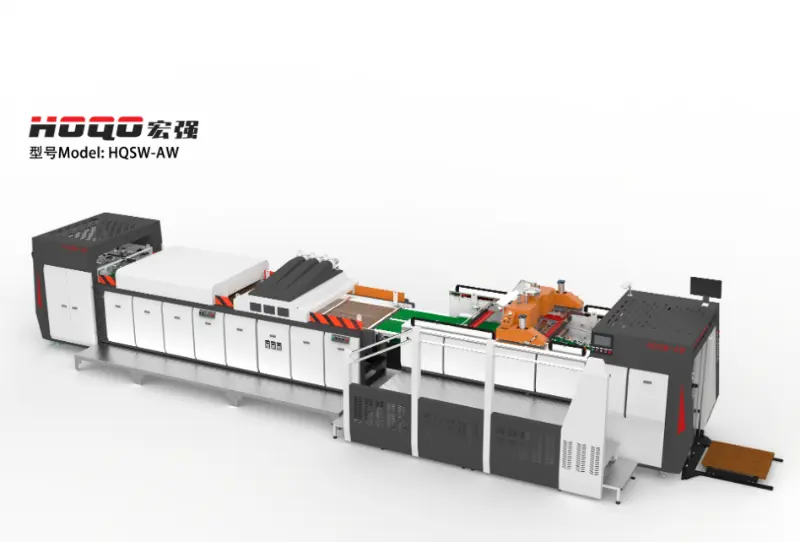
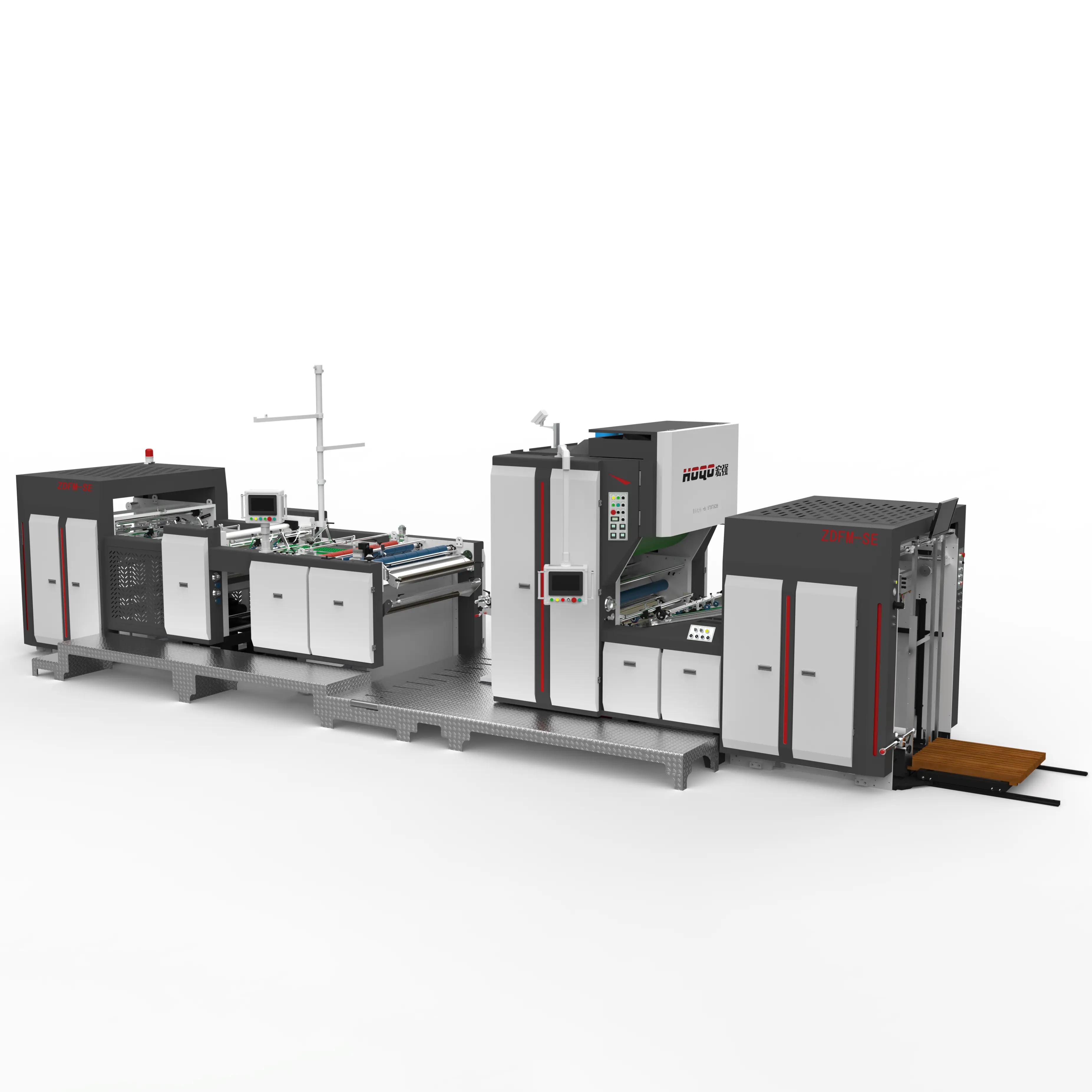
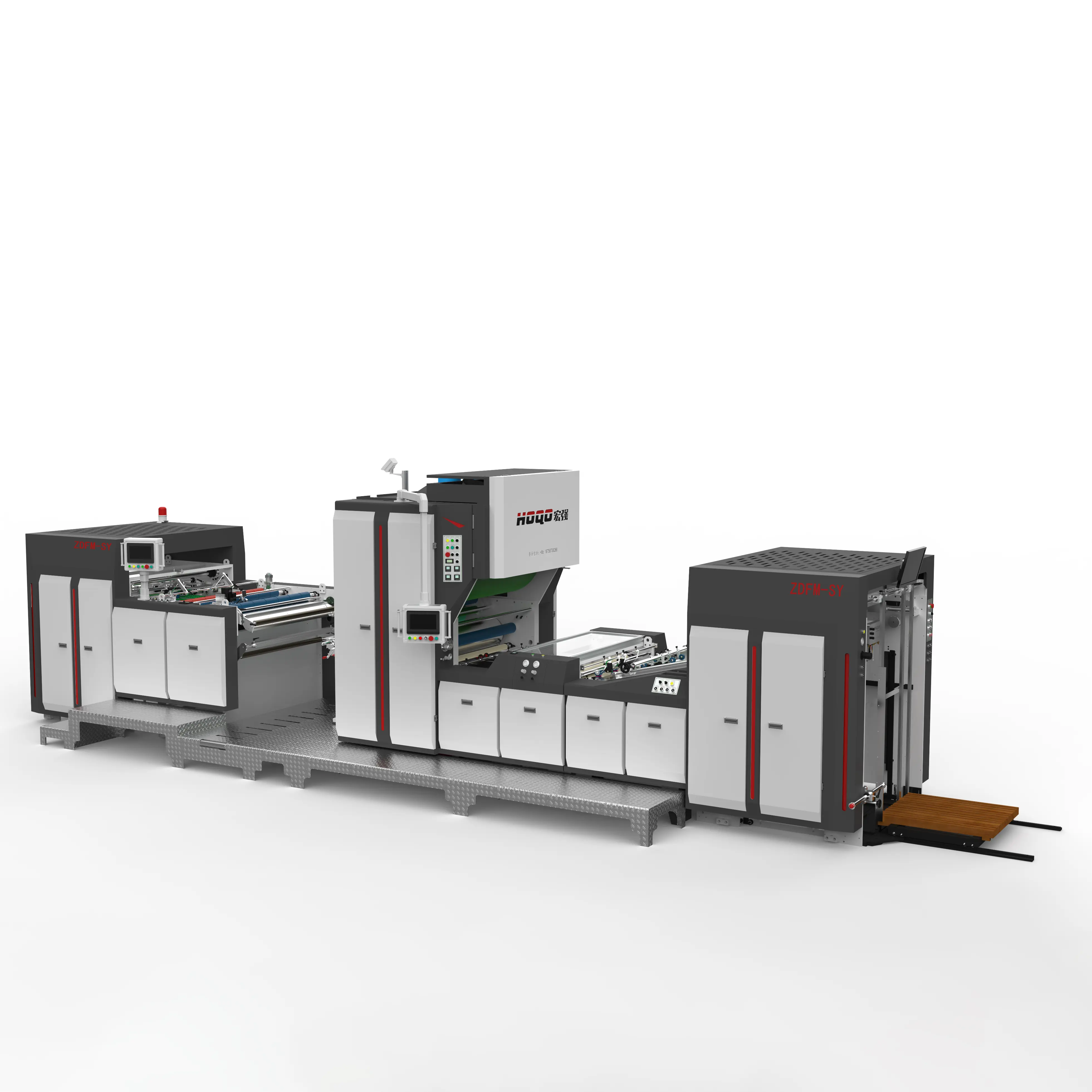
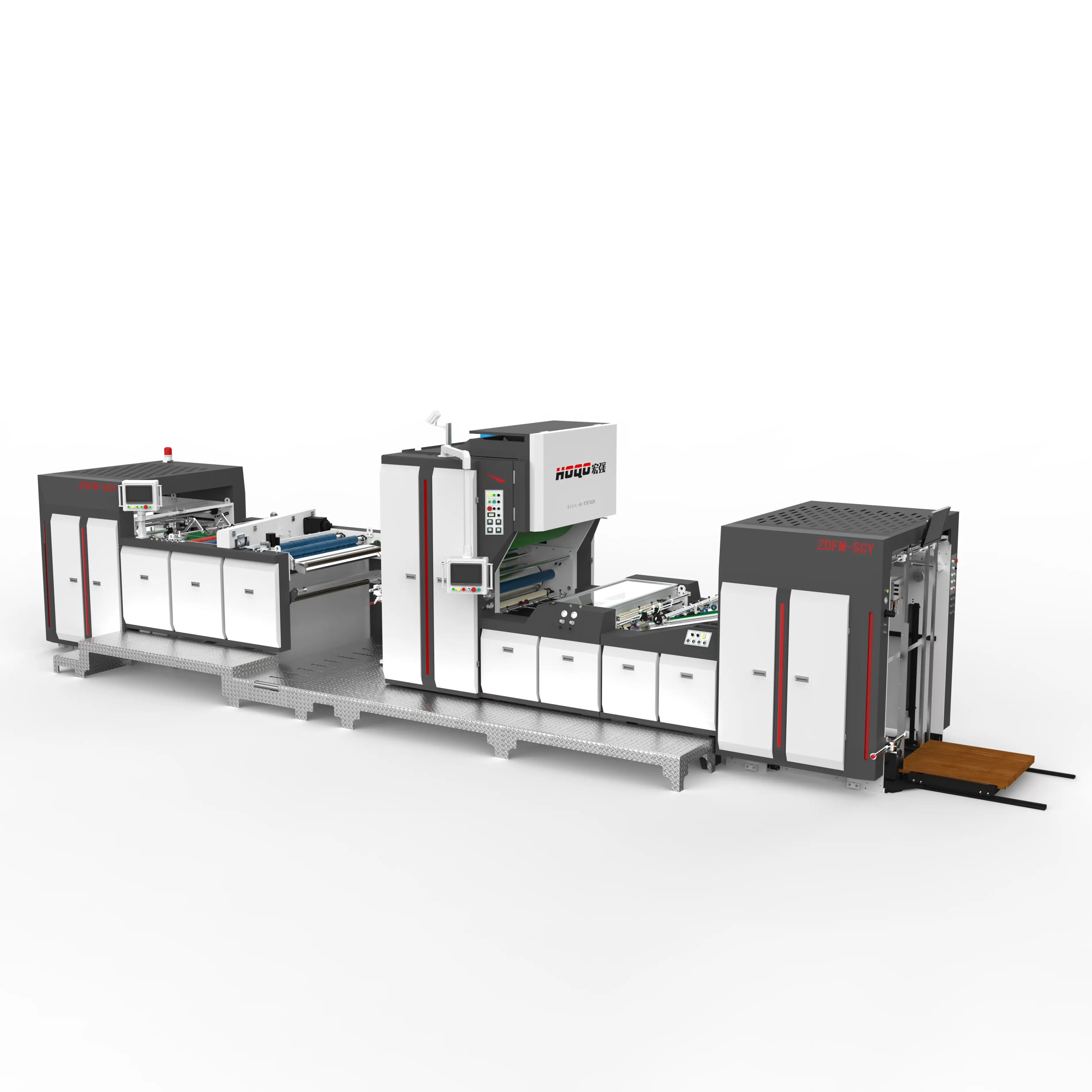
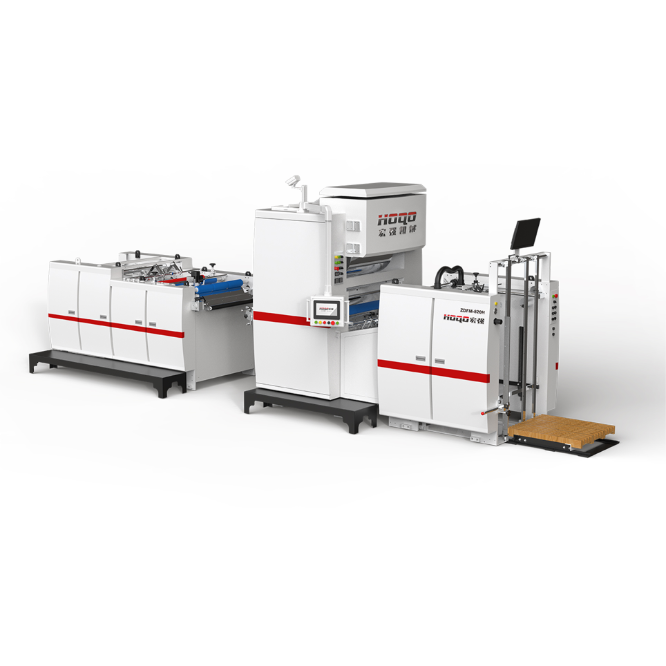
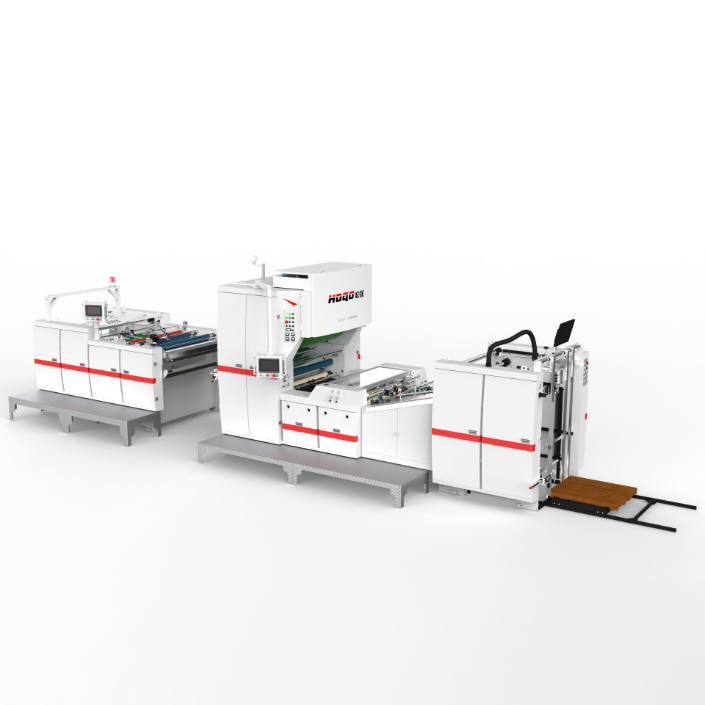
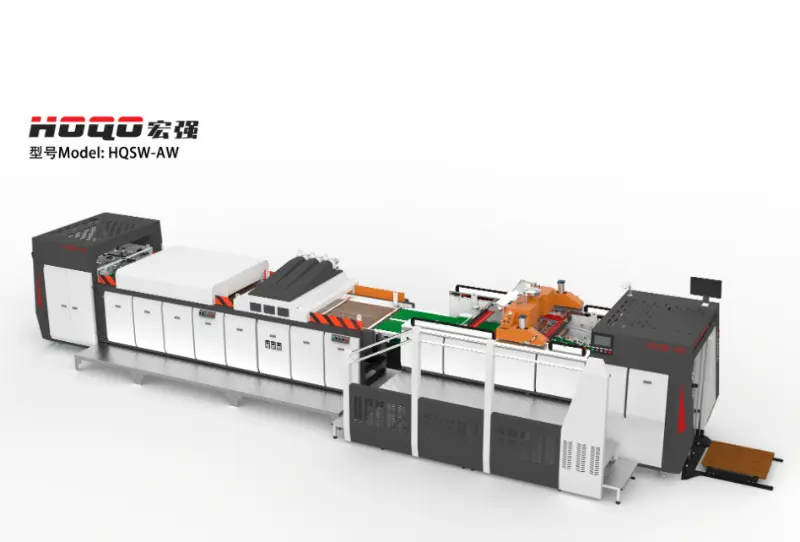
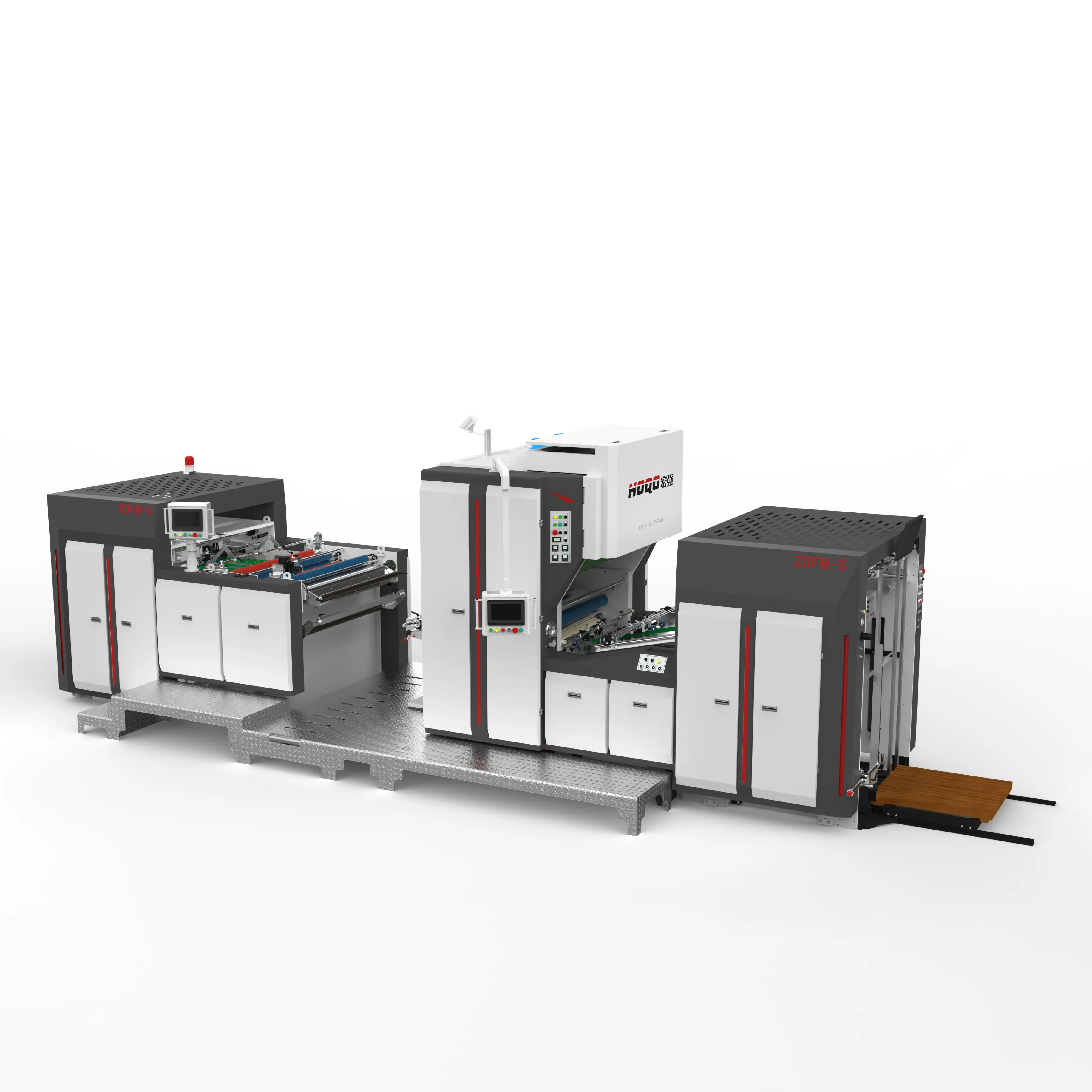
Precision, registration stability, and consistent production control are essential to modern screen printing, particularly for premium packaging, decorative paper products, and special-effect printing. A Full-Servo Screen Printing Machine coordinates material positioning, printing movements, speed adjustment, and other operating actions through intelligent servo control. Features such as automatic positioning pneumatic pull gauges, adjustable doctor starting points, registration offset adjustment, and pattern expansion compensation help address common printing challenges. Understanding these technologies makes it easier to evaluate equipment configurations, match printing processes with material requirements, and coordinate screen printing with subsequent drying, curing, cooling, or laminating operations.
Screen printing is a printing process in which ink passes through selected openings in a mesh screen onto a substrate. A stencil controls the areas where ink can pass through, allowing patterns, graphics, colors, and decorative effects to be transferred to the material.
This process is widely used for packaging, commercial printing, signage, decorative paper, and specialized printed products. It can produce relatively thick ink layers and distinctive surface effects that are difficult to achieve through some conventional printing methods.
A Full-Servo Screen Printing Machine uses servo-driven control technology to coordinate important equipment movements and operating parameters. Rather than relying entirely on conventional mechanical transmission arrangements, the system uses electronically controlled servo motors to manage motion and support more flexible adjustments.
A servo system uses feedback and electronic control to regulate the position, speed, or movement of a driven component. In printing equipment, different servo-controlled movements can be coordinated to support consistent feeding, positioning, printing, and material handling.
The specific control architecture depends on the machine design. In an integrated automatic printing line, servo control can coordinate several operating actions to maintain a consistent production sequence.
Traditional printing equipment may depend on mechanical shafts, gears, cams, and fixed transmission relationships to coordinate operating movements. These structures can provide stable mechanical synchronization, but changing certain movement relationships may require mechanical adjustments.
Servo-driven systems provide electronic adjustment of selected motion parameters. This allows operators to make changes through the control interface without relying exclusively on mechanical adjustment.
| Comparison Area | Conventional Mechanical Control | Servo-Based Control |
|---|---|---|
| Movement Control | Uses mechanical transmission relationships. | Uses electronically controlled servo movements. |
| Parameter Adjustment | May require mechanical adjustment. | Selected parameters can be adjusted through the control system. |
| Synchronization | Depends on mechanical coordination. | Can coordinate multiple controlled movements electronically. |
| Production Changeover | May involve additional mechanical setup. | Supports flexible parameter changes for applicable configurations. |
| Operating Interface | May combine mechanical controls and conventional switches. | Can incorporate touchscreen and PLC-based controls. |
The main purpose of servo technology is not simply to increase automation. Its value lies in coordinating machine movements, supporting repeatable adjustments, and providing better control over the printing process.
A servo control system combines a controller, servo drive, motor, feedback device, and mechanical transmission components. These elements work together to execute the required movement according to programmed operating instructions.
The operator selects or enters the required production parameters through the control interface. Depending on the machine configuration, these may include printing speed, movement timing, positioning settings, and other process-related adjustments.
A PLC or integrated control platform processes the instructions and coordinates the relevant machine actions.
The servo drive supplies controlled power to the motor according to the required movement command. The motor then drives the corresponding mechanical component, allowing the equipment to perform a defined action.
Depending on the machine structure, servo-driven movements may be used in paper transportation, positioning, printing mechanisms, or other synchronized operations.
Feedback information helps the control system monitor whether the motor is following the commanded movement. This feedback supports accurate positioning and speed regulation during repeated production cycles.
The controller can use this information to manage the operation and maintain the required coordination between different machine sections.
In a fully automatic configuration, the system can coordinate material feeding, screen printing, drying or curing, cooling where applicable, and paper collection.
These operations form an organized production sequence. Operators can monitor the machine status and make permitted adjustments through the control interface.
Different paper materials, printing patterns, ink characteristics, and product specifications require different process settings. Servo control provides a way to modify selected operating parameters when production requirements change.
Equipment performance depends on how accurately the machine handles materials and coordinates each printing movement. Several functional features are particularly important when producing detailed patterns, multiple-color designs, and packaging products that require consistent registration.
An intelligent automatic control system coordinates the machine's operating sequence through programmed instructions. After preparation and setup, the operator can initiate production through the designated start control.
Automatic start, speed adjustment, and stopping functions help establish a consistent production rhythm. This reduces the need for operators to manually control each individual movement during normal automatic operation.
Material positioning is fundamental to accurate screen printing. If each sheet enters the printing station at a different position, the printed pattern may shift from its intended location.
An automatic positioning pneumatic pull gauge helps align incoming material before printing. By establishing a repeatable positioning reference, this structure supports consistent sheet placement and provides a foundation for accurate registration.
The doctor blade controls the movement and distribution of ink across the screen during printing. Its starting position influences the point at which the printing stroke begins.
A controllable doctor starting point gives operators more flexibility when setting up different printing patterns and material requirements. It helps align the printing action with the intended design area.
Multi-color or multi-step screen printing requires different printed elements to align correctly. Even a relatively small positional deviation can affect the appearance of fine patterns, text, and overlapping graphic elements.
Adjustable registration offset settings allow operators to fine-tune alignment between printing groups. This is especially important for detailed designs and products requiring accurate positioning across multiple printing stages.
Materials can experience small dimensional changes during handling and printing. Paper deformation, tension, moisture conditions, and processing characteristics may affect the final pattern dimensions.
A pattern expansion compensation function helps address selected dimensional deviations by adjusting the printing parameters according to the machine's control design.
This capability is relevant when the printed material needs to meet the registration requirements of subsequent coating or laminating processes.
Different inks and substrates may require different production speeds. One-key speed regulation provides a convenient way to adjust the operating speed through the control system.
Operators can establish a suitable speed according to the printing conditions and required surface effects. Speed changes should be evaluated together with ink transfer, drying or curing requirements, and material handling stability.
The opening and closing movements of screen-related mechanisms influence the printing cycle. Smooth, coordinated movement helps reduce unnecessary mechanical impact during repeated operation.
Intelligent opening and closing control supports controlled movement, helps protect precision components, and contributes to stable equipment operation.
Registration accuracy determines whether printed elements appear in their intended positions. It is particularly important for detailed packaging graphics, multi-color designs, layered decorative effects, and products that undergo additional finishing processes.
Registration errors occur when the printed image does not align with its intended reference position. They may appear as shifted colors, overlapping edges, misaligned text, or inconsistent graphic outlines.
Several factors can contribute to registration problems:
Each sheet needs a consistent reference position before it enters the printing area. If the sheet position changes between cycles, the same printing movement may produce different image locations.
Pneumatic pull gauges and automatic positioning structures help establish the reference position. Their effectiveness depends on correct setup, material characteristics, and the condition of the feeding mechanism.
Multi-color designs may require several printing stages to align with one another. Registration offset adjustment allows operators to correct positional differences between printing groups.
This is useful for:
Paper and paperboard can change slightly during production because of environmental conditions, moisture variation, handling tension, or processing pressure. These changes may affect the relative dimensions of the printed pattern.
Compensation functions help manage selected deviations, but they do not eliminate every material-related variable. Proper substrate selection, conditioning, feeding, screen preparation, and process control remain essential.
Printing results are influenced by the interaction between the screen mesh, stencil, ink, substrate, and mechanical printing action. Pressure, speed, and mesh tension are among the key variables operators need to understand during machine setup.
Printing pressure affects how the ink passes through the screen openings and transfers to the substrate. The required pressure depends on screen characteristics, ink properties, material thickness, and the desired printed effect.
Excessive or insufficient pressure can affect ink transfer and image definition. A controlled adjustment range allows operators to find suitable settings for the specific printing job.
Printing speed determines how quickly the equipment completes its printing cycle. The appropriate setting depends on the material, ink behavior, pattern detail, drying requirements, and downstream production arrangement.
Higher operating speed should not automatically be interpreted as better printing performance. If the ink transfer, registration, or curing process cannot accommodate the selected speed, the final output may become inconsistent.
Mesh tension influences screen stability and its contact behavior during printing. Suitable tension helps maintain consistent screen characteristics and supports accurate ink transfer.
The appropriate tension depends on mesh material, screen dimensions, stencil characteristics, and the printing design. It should be checked during screen preparation and adjusted according to the process requirements.
Printing pressure, machine speed, and mesh tension should be evaluated together rather than adjusted independently without considering the complete process.
| Parameter | Main Function | Adjustment Considerations |
|---|---|---|
| Printing Pressure | Controls ink transfer through the screen. | Ink properties, substrate, stencil, and desired ink layer. |
| Printing Speed | Determines the operating cycle and material movement rate. | Printing detail, ink behavior, curing, and production sequence. |
| Mesh Tension | Influences screen stability during printing. | Mesh type, screen dimensions, stencil, and print requirements. |
| Registration Offset | Adjusts relative alignment between printed elements. | Pattern design, material positioning, and multi-color requirements. |
| Doctor Starting Point | Controls the beginning of the printing stroke. | Image location, printing area, and screen setup. |
Screen printing is often selected for packaging projects that require distinctive surface textures, decorative effects, or relatively thick ink layers. Depending on the selected configuration, drying, UV curing, cooling, and special-effect processes can be incorporated into the production line.
UV curing uses ultraviolet radiation to initiate a chemical reaction in appropriately formulated UV inks or coatings. Photoinitiators within the material respond to UV exposure, helping the applied ink or coating form a cured film.
Compared with conventional drying processes that depend primarily on evaporation, UV curing uses a different mechanism to solidify compatible materials. The required curing conditions depend on ink formulation, film thickness, UV output, and machine configuration.
Certain integrated printing configurations include an air-cooled chiller or cooling arrangement. The purpose is to reduce the surface temperature of processed products after the relevant printing or curing stage.
Temperature management can be important when printed sheets need to move to a subsequent process. The required cooling arrangement depends on production speed, curing conditions, substrate characteristics, and the temperature sensitivity of downstream materials.
Snowflake curing creates a distinctive textured appearance on the printed surface. Under the specified UV curing conditions, the special-effect ink develops a wrinkled or granular structure that resembles fine snow crystals.
This treatment can create a visible three-dimensional texture and a distinctive tactile effect. It is used for selected premium packaging and decorative applications where surface appearance is an important part of product presentation.
Cold foil is a decorative finishing technique used to add metallic visual effects to selected printed areas. It can be combined with screen printing or other finishing processes in an appropriately designed production line.
The required equipment configuration depends on the foil transfer process, adhesive compatibility, substrate, design, and sequence of operations.
Integrated systems can combine selected processes to reduce the need for separate equipment between production stages. Depending on the configuration, these may include screen printing, UV curing, snowflake curing, cold foil, and cooling.
The choice of combination should be based on the intended surface effect and actual production requirements. Not every machine includes all processing units.
| Process | Primary Purpose | Typical Considerations |
|---|---|---|
| Screen Printing | Transfers ink and decorative patterns onto the substrate. | Screen design, ink, pressure, and registration. |
| UV Curing | Cures compatible UV ink or coating. | UV output, ink formulation, and exposure conditions. |
| Snowflake Curing | Creates a distinctive textured surface effect. | Special-effect ink and curing conditions. |
| Cold Foil | Adds metallic decorative elements. | Foil, adhesive, substrate, and registration. |
| Cooling Water | Helps reduce product surface temperature. | Temperature, cooling capacity, and transfer timing. |
Screen printing is used across different industries because it can transfer decorative and functional ink layers onto a range of suitable substrates. Material compatibility depends on the machine structure, printing configuration, screen specifications, and ink system.
Paper and paperboard are common substrates for packaging and graphic printing. Depending on material properties and equipment configuration, screen printing can be used to apply decorative patterns, textured finishes, and selected special-effect coatings.
Important considerations include paper thickness, sheet dimensions, surface coating, stiffness, flatness, and feeding characteristics.
Gift packaging often requires distinctive visual and tactile effects. Screen printing can be used to add thick ink layers, decorative graphics, and selected textured finishes.
These effects can help highlight logos, patterns, borders, and specific design elements on premium packaging.
Decorative gift boxes used for festivals and seasonal products may incorporate detailed patterns, special textures, and metallic visual effects.
Screen printing and optional finishing technologies can be selected according to the artwork, substrate, and desired appearance.
Packaging in these sectors often uses layered graphics, decorative textures, metallic effects, and distinctive surface finishes. Screen printing can support selected design requirements as part of a broader printing and finishing workflow.
Cosmetic packaging frequently requires carefully positioned graphic details and differentiated surface treatments. Screen printing can be considered for selected paperboard cartons, decorative panels, and related packaging materials.
Depending on the equipment configuration, screen printing may also be used for signage, decorative paper products, specialty printed materials, and customized graphic applications.
Technical specifications help determine whether a machine matches the material size, production requirements, and factory installation conditions. When comparing models, prioritize the actual printing area and substrate range rather than relying only on the machine's maximum paper dimensions.
The maximum sheet size indicates the largest material dimensions that the designated feeding system can accommodate. The minimum sheet size defines the lower operating range under the specified configuration.
These values are important when a production line handles multiple packaging formats or changes between different product sizes.
Maximum printing size refers to the available printing area for the specified model. It should be compared with the actual artwork dimensions, including the required positioning and margins.
A larger sheet capacity does not automatically mean that the entire sheet can be printed. The effective printing area and screen frame dimensions must also be considered.
Paper weight and thickness influence feeding behavior, stiffness, and the handling requirements of the machine. Buyers should confirm that the machine's supported substrate range matches the materials used in their production.
Different paper grades within the same weight range may still behave differently depending on coatings, fiber structure, moisture, and rigidity.
The rated printing speed indicates the machine's specified operating range under applicable conditions. Actual production output can vary with the printing design, material, job settings, operator preparation, curing requirements, and other process conditions.
It is therefore important to evaluate the speed specification together with print quality and production consistency.
Industrial printing equipment requires appropriate installation space, access for material handling, and sufficient floor capacity. Total machine dimensions and weight should be reviewed before planning the production layout.
The following table shows two model configurations for intelligent UV curing screen printing equipment. These specifications are model-specific examples and should not be treated as universal parameters for every machine in the product range.
| Specification | HQSW-1100A | HQSY-1450A |
|---|---|---|
| Maximum Paper Sheet Size | 1080 × 880 mm | 1430 × 1140 mm |
| Minimum Paper Sheet Size | 420 × 350 mm | 420 × 350 mm |
| Maximum Printing Size | 1050 × 780 mm | 1400 × 1050 mm |
| Screen Frame Size | 1140 × 1270 mm | 1670 × 1410 mm |
| Paper Weight Range | 128–500 g/m² | 128–500 g/m² |
| Printing Speed | 500–4500 sheets/h | 500–3000 sheets/h |
| Power Supply | 3P 380V 50Hz | 3P 380V 50Hz |
| Power | 75 kW | 75 kW |
| Approximate Weight | 7500 kg | 9400 kg |
Screen printing is often one stage within a larger packaging production process. The printed sheet may need to undergo UV curing, cooling, laminating, coating, or other finishing operations before becoming a completed product.
For this reason, print quality should be considered in relation to the entire production sequence rather than evaluated only at the screen printing station.
Laminating applies a film or coating layer to printed material to create the required appearance and surface properties. The condition of the printed substrate can influence the subsequent operation.
Uneven ink distribution, insufficient drying or curing, and registration errors may create problems during later finishing. Depending on the materials and process conditions, these issues can contribute to bubbles, poor adhesion, surface imperfections, or inconsistent appearance.
Controlled ink transfer, accurate registration, and appropriate curing conditions help prepare the printed material for the next production stage.
Different ink systems require different drying or curing methods. Conventional inks may rely on evaporation or other drying mechanisms, while UV-curable inks require suitable ultraviolet exposure.
The selected process must match the ink formulation and substrate. Inadequate curing can affect the condition of the printed layer and its compatibility with subsequent operations.
After certain curing operations, the temperature of the printed sheet may need to be reduced before it enters the next stage. An integrated cooling arrangement can help manage the transition between processing units.
Temperature conditions should be matched with the substrate, coating materials, and requirements of the downstream equipment.
When multiple machines are connected in a production line, material transfer, operating speed, sheet alignment, and process timing need to be coordinated.
A consistent production sequence helps avoid unnecessary handling and reduces the risk of mismatches between adjacent stages.
Industrial screen printing equipment contains mechanical, electrical, pneumatic, and control components that require routine inspection. Proper maintenance helps preserve operating stability and makes it easier to identify developing problems before they interrupt production.
Operators should verify the equipment condition, material supply, printing screen, ink, and operating parameters before beginning a production run.
Operators should monitor printed sheets at suitable intervals to identify registration shifts, inconsistent ink transfer, surface defects, and material feeding problems.
Changes in paper characteristics or ink behavior may require adjustments to the machine parameters. Any changes should follow the established operating procedure.
Remove residual ink and clean the screen and relevant printing components using methods compatible with the materials and ink system. Keep the working area free of accumulated paper dust and ink residue.
Inspect consumable components and record any abnormal machine conditions for the next production shift.
Servo motors, drives, pneumatic components, electrical connections, and transmission mechanisms should be inspected according to the maintenance schedule. Lubrication requirements should follow the manufacturer's instructions.
For equipment with a PLC control system, operating alarms and error records can help maintenance personnel identify the source of abnormal conditions.
| Problem | Possible Cause | Recommended Check |
|---|---|---|
| Registration Deviation | Material positioning or screen alignment changes. | Inspect the positioning gauge and registration settings. |
| Uneven Ink Transfer | Incorrect pressure, screen condition, or ink characteristics. | Check the screen, ink, and printing pressure. |
| Inconsistent Sheet Feeding | Material condition or feeding mechanism issues. | Inspect sheet alignment and feeding components. |
| Incomplete Curing | Unsuitable curing conditions or incompatible materials. | Verify ink compatibility and UV system settings. |
| Unstable Machine Movement | Servo, electrical, or mechanical issues. | Check alarms, drives, connections, and transmission components. |
| Surface Defects After Laminating | Printed layer condition or downstream process mismatch. | Review ink condition, curing, and lamination parameters. |
Choosing industrial printing equipment requires an understanding of the complete production process. Focusing on a single specification can lead to a configuration that does not fully support the intended manufacturing requirements.
Maximum rated speed does not represent every production condition. Complex patterns, special-effect inks, material handling, and curing requirements can influence actual operating speed.
Buyers should compare machine speed with the requirements of the complete production sequence.
Maximum sheet dimensions and maximum printing dimensions are different specifications. Selecting equipment based only on sheet size may result in a mismatch with the required artwork dimensions.
Paper weight, thickness, stiffness, surface finish, and feeding behavior all influence the printing process. The equipment should be evaluated with the actual materials used in production.
Detailed graphics and multi-stage printing jobs require appropriate positioning and registration control. Buyers should understand the available adjustment mechanisms and evaluate their suitability for the intended artwork.
Different ink systems require different drying and curing processes. The selected equipment must match the ink formulation and the intended finishing sequence.
If printed sheets are transferred to a laminating or coating machine, the printing process should be coordinated with downstream requirements. Ink condition, registration, surface temperature, and material handling can influence the final result.
Industrial printing machines require sufficient installation space, electrical capacity, material handling access, and suitable working conditions. These requirements should be reviewed before equipment delivery and installation.
The following questions address common technical and purchasing considerations for automatic servo-controlled printing equipment.
Servo control coordinates machine movements through electronically controlled motors. It supports precise positioning, flexible speed adjustment, and synchronized operation of different machine sections.
An automatic positioning pneumatic pull gauge helps establish a repeatable sheet position before printing. Consistent material positioning provides a foundation for accurate registration across production cycles.
Selected configurations support adjustment of printing pressure and speed through the machine control system. The appropriate parameters depend on the ink, substrate, screen, and desired printing effect.
Pattern expansion compensation helps address selected dimensional changes in the material during printing. It adjusts relevant printing parameters according to the equipment's control design to support the intended pattern dimensions.
Registration offset adjustment allows operators to correct positional differences between printed elements or color groups. It is particularly useful for detailed patterns and multi-stage printing.
Suitable applications include paper and paperboard within the specified model range. Material compatibility depends on sheet dimensions, weight, thickness, surface characteristics, and the machine configuration.
Applications include premium gift boxes, mooncake packaging, tobacco and alcohol packaging, decorative paper products, specialty cartons, and selected signage or printed materials.
Conventional drying commonly relies on processes such as solvent or water evaporation, depending on the ink. UV curing uses ultraviolet exposure to initiate the curing reaction of compatible UV-curable materials.
Yes. An integrated configuration can coordinate material feeding, screen printing, UV curing, and paper collection. Additional cooling or special-effect processing units can be included in applicable configurations.
A snowflake curing unit creates a distinctive textured surface effect using compatible special-effect ink and curing conditions. The resulting surface has a wrinkled or granular appearance with a noticeable tactile texture.
Compare the minimum and maximum sheet dimensions, maximum printing area, screen frame size, paper thickness range, production speed, and available factory space. The selected model should match the actual production materials and artwork requirements.
Printing and laminating equipment can be arranged as coordinated production stages. The configuration should account for sheet handling, printing quality, ink drying or curing, temperature conditions, and the operating requirements of the laminating machine.
Prepare the required paper sizes, paper weight, printing area, target speed, artwork characteristics, ink type, desired surface effects, curing requirements, downstream equipment information, and factory electrical specifications.
Routine maintenance includes screen and doctor blade inspection, ink residue removal, positioning mechanism checks, pneumatic system inspection, electrical connection checks, servo system monitoring, and lubrication according to the equipment instructions.
A Full-Servo Screen Printing Machine brings together electronic motion control, automatic positioning, adjustable printing parameters, and coordinated production operations. These functions help manufacturers manage registration, ink transfer, and repeatable production movements across different printing jobs.
For packaging applications, the selection process should also consider substrate dimensions, paper weight, printing area, ink characteristics, and the required surface effect. UV curing, cooling, snowflake curing, and cold foil units can be incorporated when the intended production process requires them.
The most suitable equipment configuration is one that matches the actual printing materials, artwork, production sequence, and downstream finishing requirements. Evaluating these factors together provides a more complete basis for selecting industrial screen printing equipment.
Explore automatic servo-controlled printing solutions for packaging and decorative printing applications. Discuss paper specifications, printing area, production requirements, UV curing, special effects, and integrated finishing configurations with our technical team.
Contact Us for Technical Details and Customized SolutionsAddress:No.81, High tech Industrial Park, Nanbin Street, Rui’an, Zhejiang, China
Copyright © 2026 Ruian Hongqiang Printing Machinery Co., Ltd. All Rights Reserved. Sitemap| RSS| XML| Privacy Policy